Always within reach
Your timer in the menu bar. Even when the main window is closed.
 happypomodoro
YOUR LITTLE FOCUS COMPANION
A little less all at once. A little more room to think. A Pomodoro timer for your Mac that gives your work a friendlier rhythm.
Meet the appFor macOS 14+ · Apple Silicon & Intel
01 / BEGIN
Give your task a name. Start your focus. Everything else can wait a little.
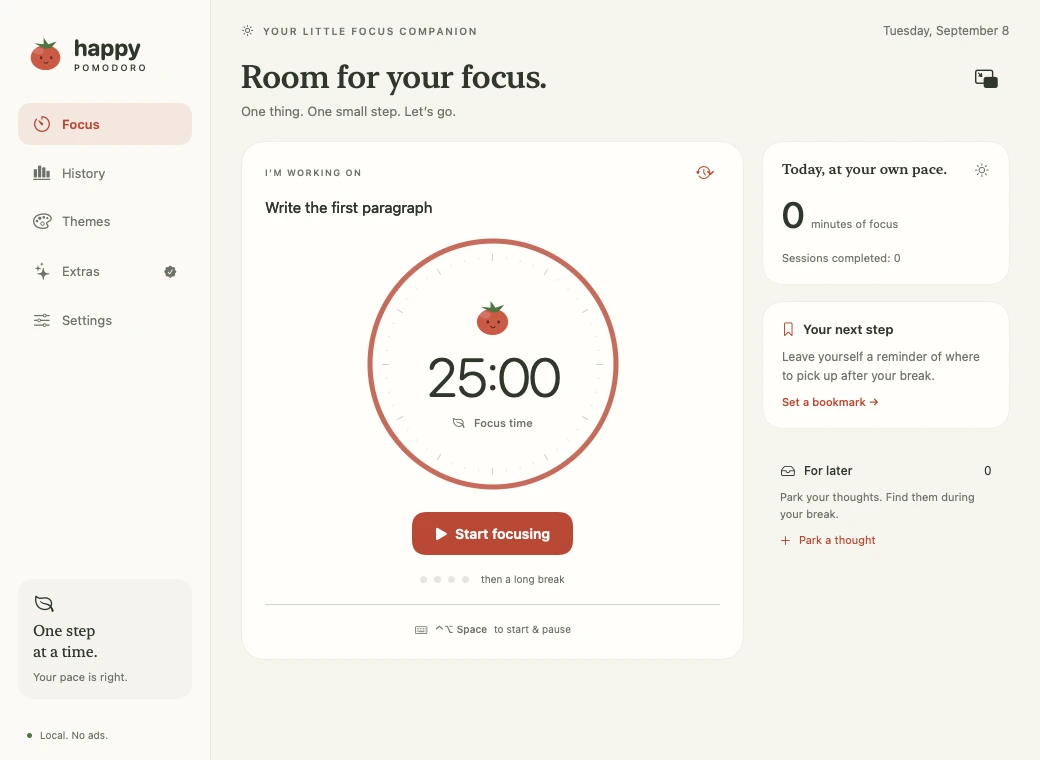
25 minutes is a beginning. Your timing is up to you.
02 / LET GOPRO
Sometimes your best idea arrives in the middle of something else. Put it somewhere safe. It will be there when you take a break.
A lovely idea for the headline
You can stay with your one thing.
A lovely idea for the headline
A little look at the thought inbox

03 / BREATHE
Stand up. Look out of the window. Be nowhere in particular for a moment. Your next step will still be there.
YOUR NEXT SMALL STEP
Next: add the example.
A focus bookmark, with an optional file or web link.
04 / RETURNPRO
Before you step away, leave yourself one small next step. When you come back, you know just where to begin.
05 / AT HOME ON YOUR MAC
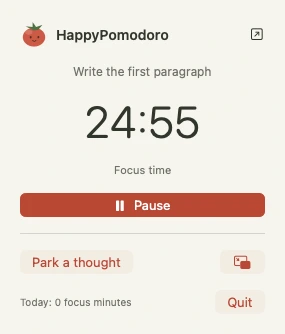
That familiar Mac feeling. In your menu bar, in a little floating window, or right beside your task.
Your timer in the menu bar. Even when the main window is closed.
A little floating window keeps your time in view.
Start or pause your focus with ⌃ ⌥ Space.

A LITTLE MORE YOU
Warm and bright, deep in the forest, or up past midnight. Find a little space that feels like you.
06 / START SMALL
Free.
Everything for your first small step. And all the ones after it.
Yours. In one purchase.
A little more room for your focus to grow.
Try Pro free for 7 days. No automatic payment.
The optional trial will be available in the app. Your free timer stays with you afterwards.
We’re taking a little time for the finishing touches. HappyPomodoro isn’t publicly available yet.
Your work stays on your Mac.
No account. No ads.
One-time Pro. No subscription.
ONE MORE THOUGHT?
You spend a set amount of time on one task, then take a break. A common starting point is 25 minutes of focus and a 5-minute break. HappyPomodoro lets you adjust the timing to suit you.
Macs running macOS 14 or later, with either Apple Silicon or Intel processors. A Windows, iPhone, or browser version is not currently planned.
No. The timer, custom durations, menu bar, floating window, daily overview, and three themes are part of the free app. Pro adds tools including the thought inbox and focus bookmarks.
The optional Pro trial ends automatically. You won’t be charged. Your free timer stays available, and buying Pro is a separate choice.
Your tasks, thoughts, and focus sessions are stored locally on your Mac. HappyPomodoro has no advertising or analytics trackers. Apple handles in-app purchases through your Apple Account. Work data does not currently sync between Macs.
No. HappyPomodoro helps you find a rhythm. It does not interfere with other apps or block websites.
